What this covers
- Reconcile the metadata baseline before starting the transition.
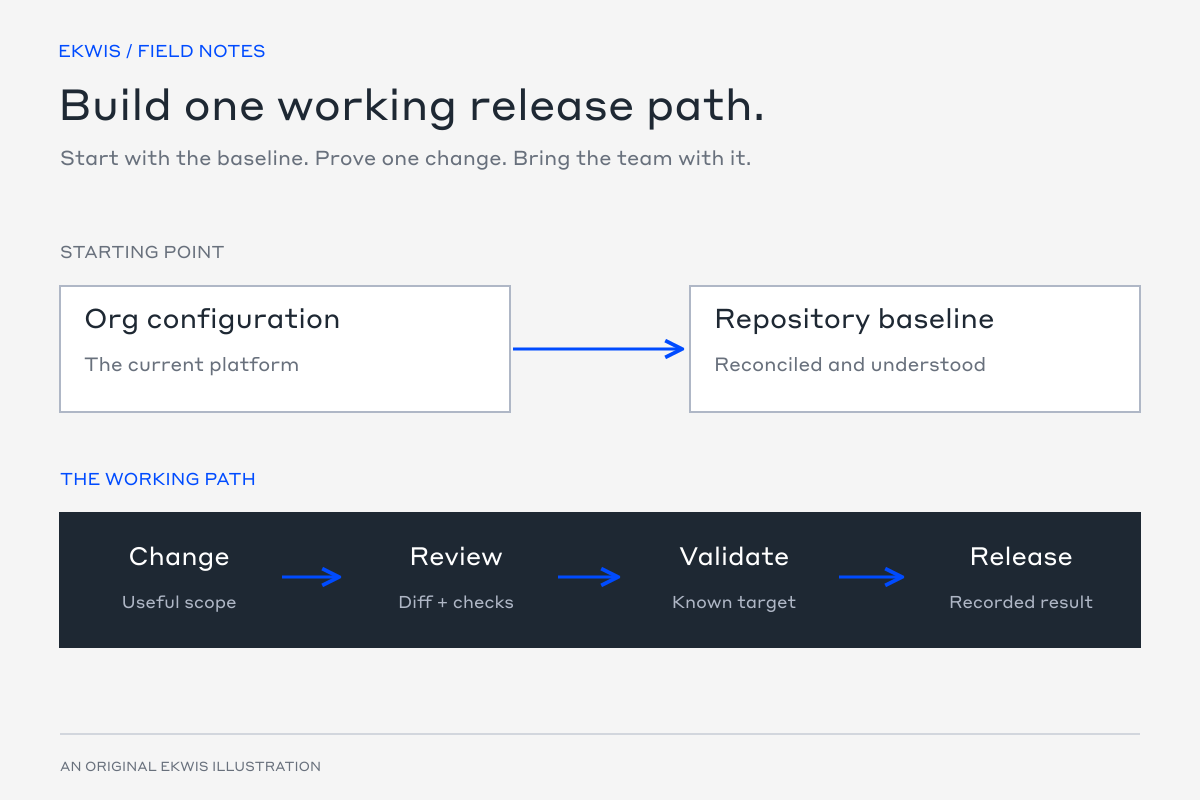
- Follow one small change through the new working path.
- Retire the old route when the replacement is proven and owned.
Moving from change sets to CI/CD means changing how the team works, not just adding a deployment command. The repository needs to represent the real platform, and every change needs a clear route through review, testing and release.
Use a small, reversible metadata change to prove the path. A new reporting field or layout change is easier to reason about than the organisation’s most complicated release.
Agree what the repository owns
Decide which org is the current baseline, which metadata the repository will manage and which settings or data need a separate step. Define the purpose of each development, test and production environment, with owners for approval and release.
| Decision | What to record |
|---|---|
| Baseline | The source org and repository state the team accepts as current. |
| Scope | Metadata types, managed packages, settings and data outside source control. |
| Working path | How developers make, retrieve and review changes. |
| Validation | Which checks apply to each target and change type. |
| Production | Who approves, deploys and checks the result. |
| Emergency changes | How an urgent org-side correction returns to the same source-controlled path. |
Reconcile the starting point
Retrieve the in-scope metadata from the agreed org into a Salesforce DX project. Compare it with any existing repository and investigate differences before treating either one as authoritative. A successful retrieve is not proof that credentials, feature settings, package dependencies and manual configuration are represented.
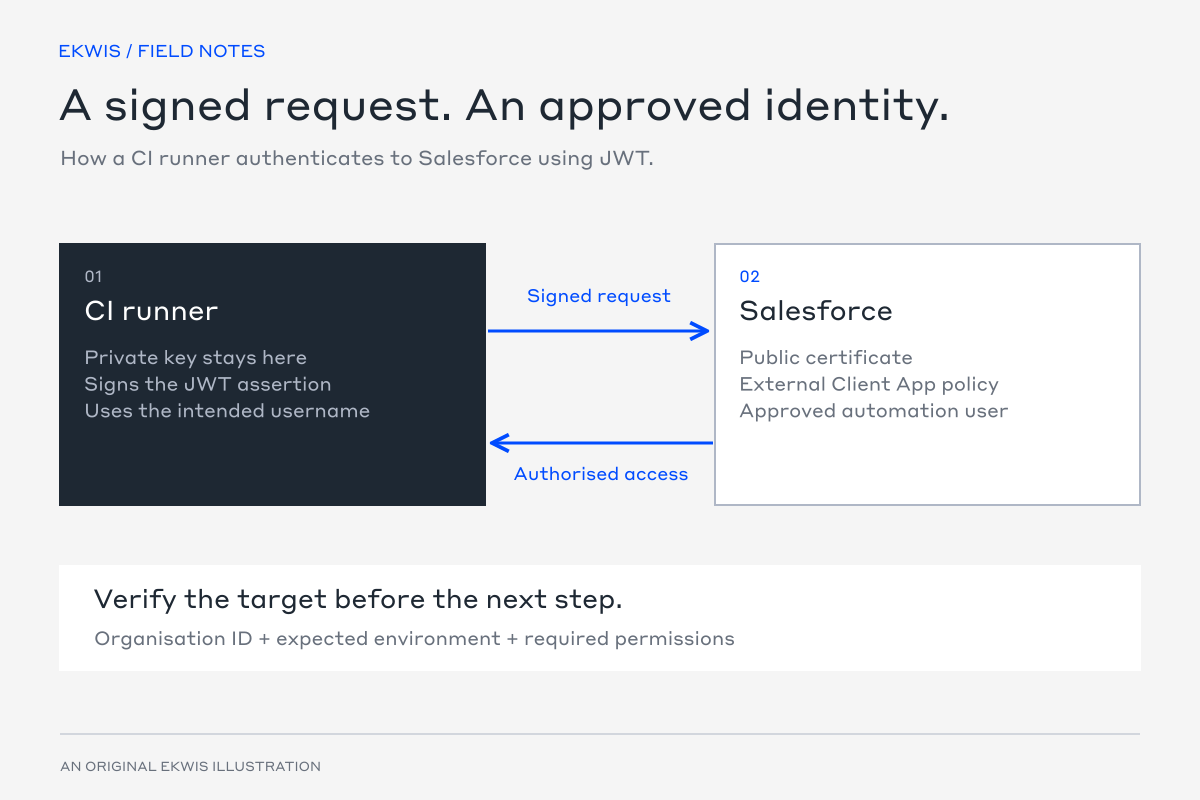
Retain the baseline and an appropriate production backup before the first new release path is used. Record the org ID or domain so a familiar alias is not mistaken for target evidence.
Walk one small change through the process
For an illustrative customer-reference field, the working record might look like this. The field and repository paths are examples; choose a real change with known dependencies and acceptance criteria.
| Step | Artifact or check |
|---|---|
| Define | Issue explaining the field’s purpose, visibility and reporting use. |
| Branch | A short-lived branch from the agreed baseline. |
| Build | Intentional field metadata, layout and permission changes. |
| Review | The diff and the reason for each related file. |
| Validate | The target-specific validation result and relevant user checks. |
| Release | The approved commit, final deployment result and post-release check. |
Inspect what was retrieved after an org-side change. A permission, layout or automation dependency may matter even when the first request only names a field. Exclude unrelated local or org changes rather than hiding them in a large first commit.
Validate for the intended environment
Use the current reviewed Salesforce CLI and an explicitly verified target. The examples below show production validation and a sandbox dry run. The source directory must contain the intended scope, and the test selection must satisfy the target’s requirements.
# Production validation
sf project deploy validate \
  --source-dir force-app \
  --target-org production \
  --test-level RunLocalTests

# Sandbox dry run
sf project deploy start \
  --dry-run \
  --source-dir force-app \
  --target-org uat \
  --test-level RunLocalTests
Capture the validation result with the pull request. Check the actual user behaviour in an org when metadata validation cannot prove it. Revalidate if the candidate or target changes in a way that affects the result.
Know when the new path is ready
| Criterion | Evidence |
|---|---|
| The baseline is understood | In-scope differences are resolved and external steps are documented. |
| The team can use Git | A representative change has been built, reviewed and reproduced. |
| Targets and credentials are correct | The intended org and environment-scoped identity are verified. |
| Validation is useful | Failures block the path and the team can investigate them. |
| A release has been checked | The deployed change matches the approved candidate and user behaviour is verified. |
| Recovery is owned | The release owner knows how to handle an emergency or failed change. |
Once the agreed scope is working through the new route, retire change sets for that scope. An emergency production edit should be retrieved and reviewed through the same repository promptly, rather than becoming a permanent parallel process.
Measure the working process
- Can the reviewer see what changed and why?
- Can another team member reproduce the validation from the recorded source and target?
- Are dependencies and manual steps visible before the release window?
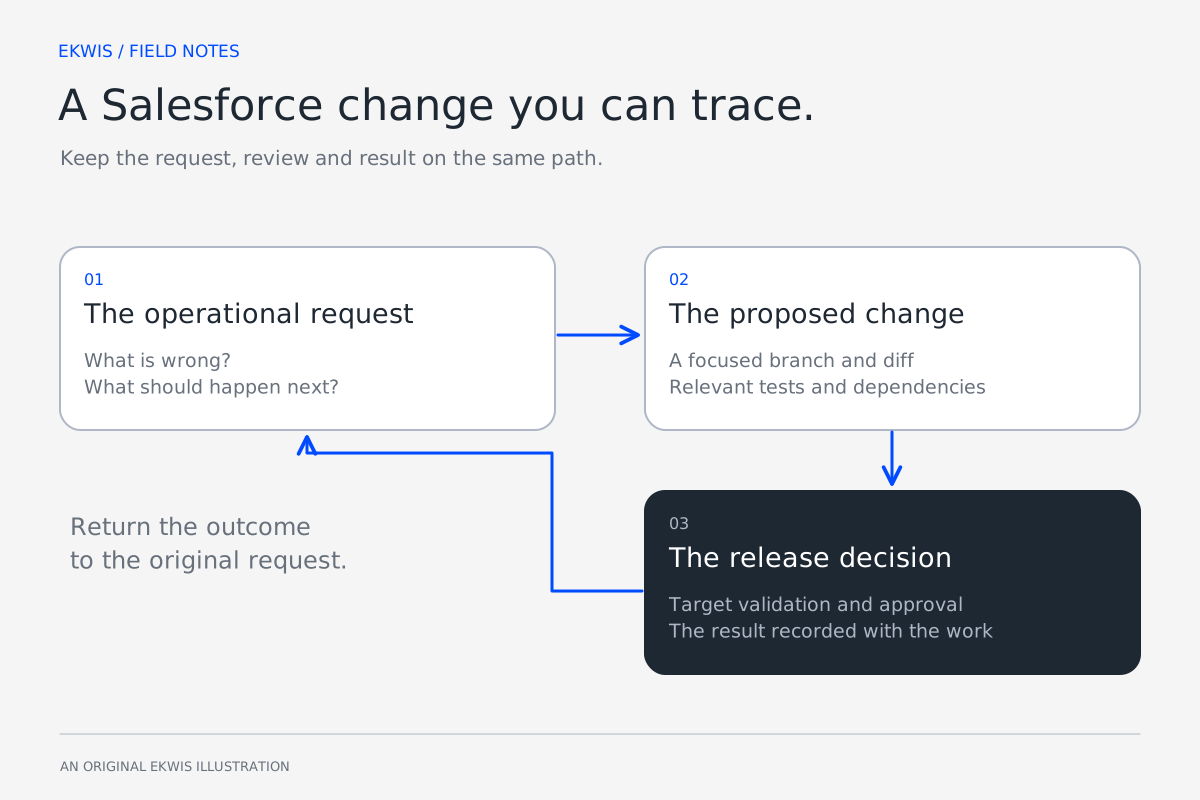
- Can the customer trace the released work back to the original request?
- Are untracked production changes being resolved through the agreed route?
These checks establish whether the transition has improved how the team delivers. A new pipeline is valuable when it makes the next change understandable and repeatable.
Official references
- Salesforce deployment validation — Salesforce Developers
- Salesforce deploy start command — Salesforce Developers
- GitHub Actions workflow syntax — GitHub Docs