What this covers
- Follow an illustrative support change through an issue-led workflow.
- Choose checks that cover the change and its dependencies.
- Keep production approval and final deployment evidence explicit.
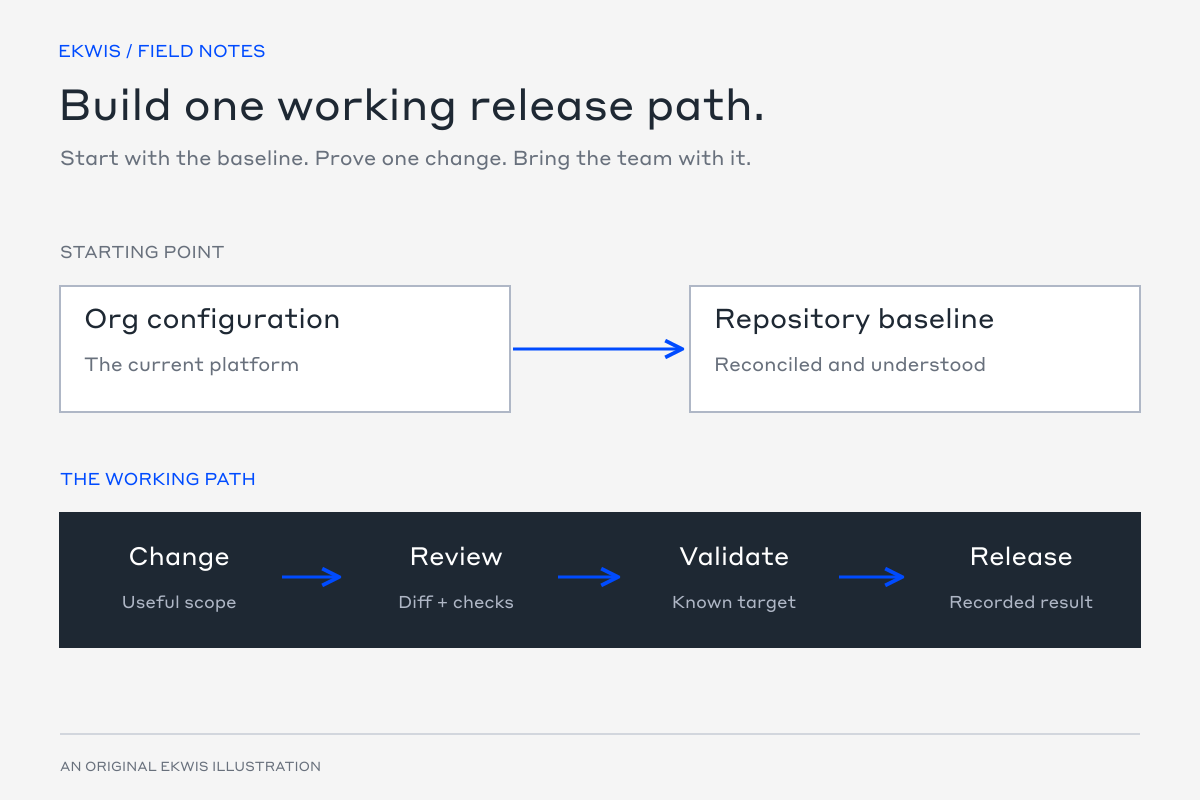
Salesforce work often starts with an operational problem: a renewal handover is missing an owner, or an integration is failing for a particular customer. GitHub Actions is useful when it connects that need to a change the team can review and release.
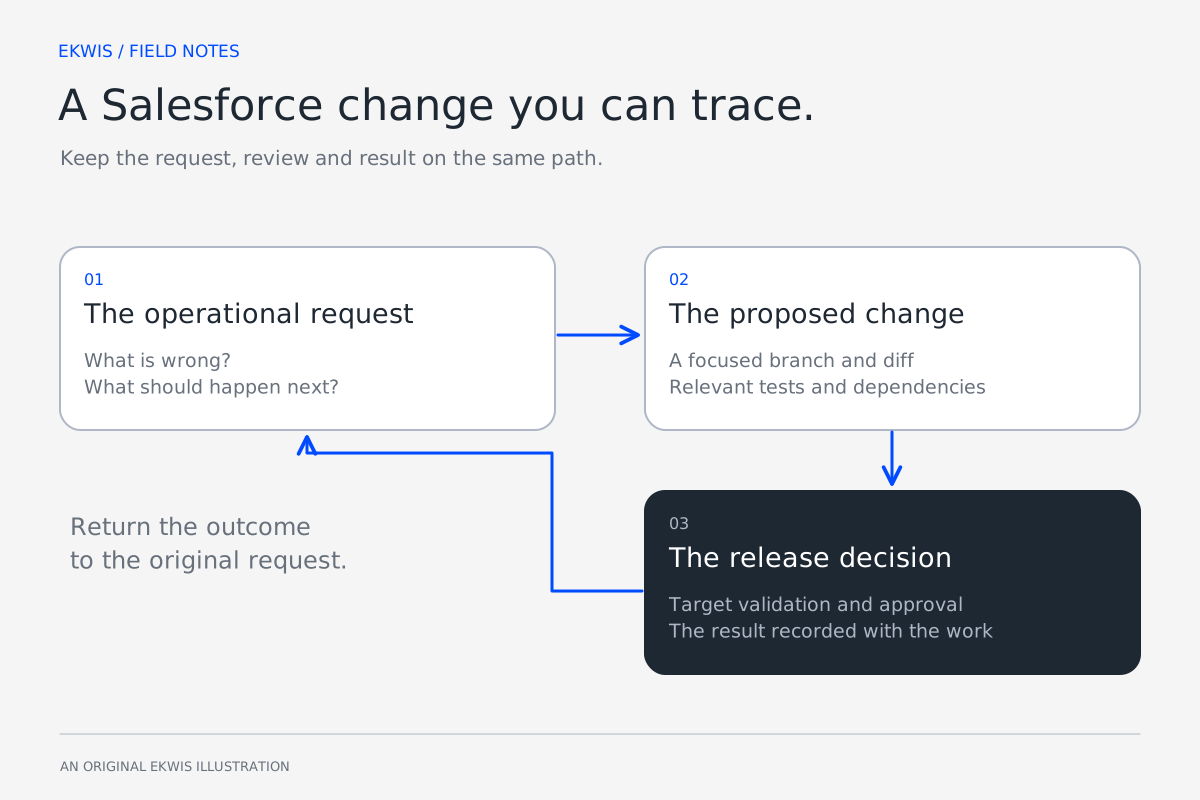
EKWIS uses an issue-led delivery approach across support and project work. The stages below show the method through an illustrative Flow change; they are not a screenshot or claim about a specific customer release.
Start with the behaviour that must change
Suppose a renewal Flow creates the next task but sometimes assigns it to the wrong owner. The issue needs the current behaviour, the intended owner rule and examples of the records that demonstrate the problem.
| Stage | What the team needs |
|---|---|
| Request | Which renewal is affected, who should own the next task and why. |
| Acceptance | The intended owner is selected for normal, missing-owner and exception cases. |
| Change | The Flow adjustment and any permissions or shared components it depends on. |
| Review | An explanation of the behaviour, a focused diff and the checks performed. |
| Release | The approved commit, target org, deployment result and user checks. |
Let automation prepare useful evidence
Use repository checks for fast feedback, then validate the deployable change against the intended org. The exact steps depend on the repository, metadata and release requirements.
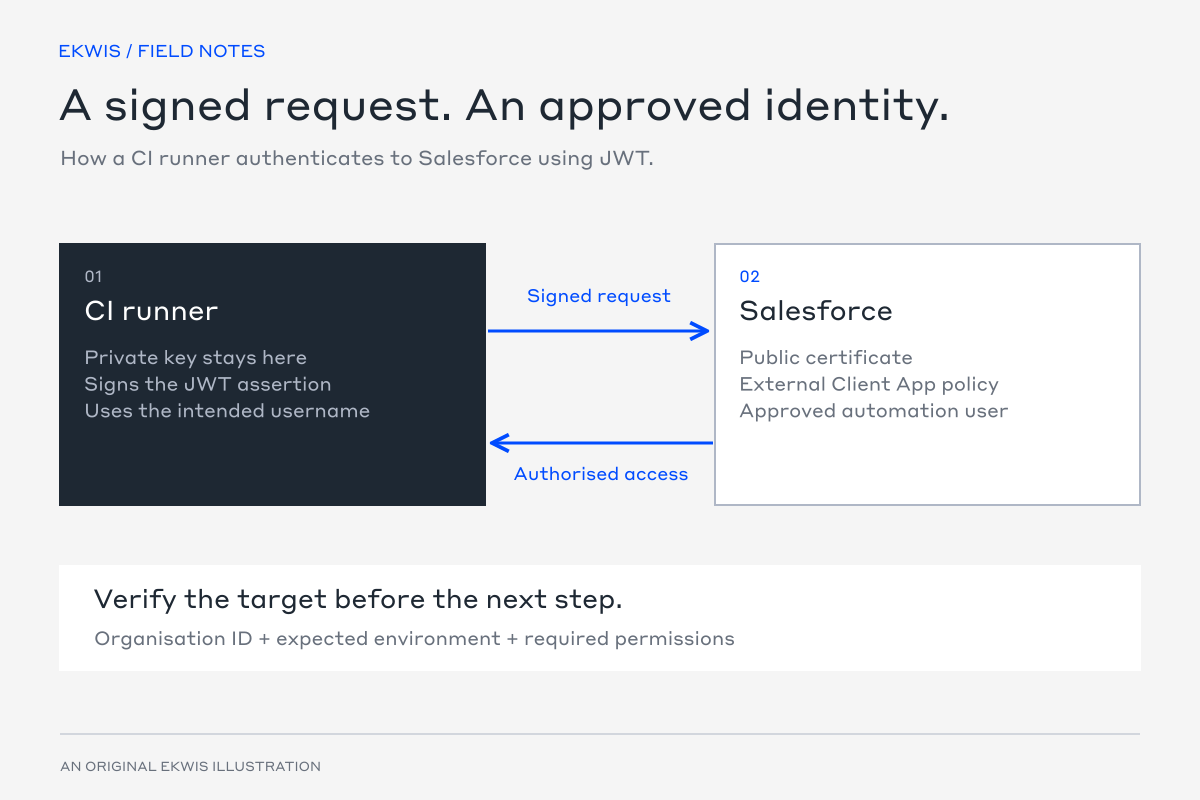
- Install the reviewed toolchain and authenticate only to the intended environment.
- Run relevant static checks and tests, with shared dependencies included.
- Review new and destructive metadata alongside the changed files.
- Validate the agreed payload against the target org.
- Retain the results and deployment identifiers with the work item.
This example is a single validation step inside an already configured GitHub Actions job. It assumes Salesforce CLI is installed, the target is authenticated and the manifest contains the intended production-validation scope.
- name: Validate the Salesforce release candidate
  env:
    SF_TARGET_ORG: ${{ vars.SF_TARGET_ORG }}
  run: |
    sf project deploy validate \
      --manifest manifest/package.xml \
      --target-org "$SF_TARGET_ORG" \
      --test-level RunLocalTests \
      --json > validation-result.json
The command’s exit status must remain a job failure when validation fails. Retain the result file for inspection through an appropriate subsequent artifact step, including on failure. Authentication, secret handling, artifact retention and production approval are separate parts of the complete workflow.
Choose checks around the actual change
| Concern | Useful check |
|---|---|
| Correct normal assignment | Run the renewal scenario with its expected owner. |
| Missing owner information | Confirm the agreed exception route. |
| Access to the selected record or action | Test with the intended user permissions. |
| Shared automation | Check the callers or related flows affected by the adjustment. |
| Deployable metadata | Validate the complete payload and dependencies against the target. |
A narrow test can make development feedback useful. Wider checks are still required where dependencies, Salesforce deployment rules or the customer’s release policy demand them. Explain the selection in the pull request.
Keep the release payload and decision connected
A diff is a review aid. It may not reveal every dependency, post-deployment setting or data action. Include those steps beside the release candidate and revalidate when the payload or target baseline changes materially.
Use environment-scoped secrets and required approval where the repository plan and policy support it. Pin external actions and reusable workflows to reviewed full commit SHAs, and limit token permissions to the job’s needs. Do not give production credentials to a job that checks out untrusted code.
Use AI where a developer can verify the result
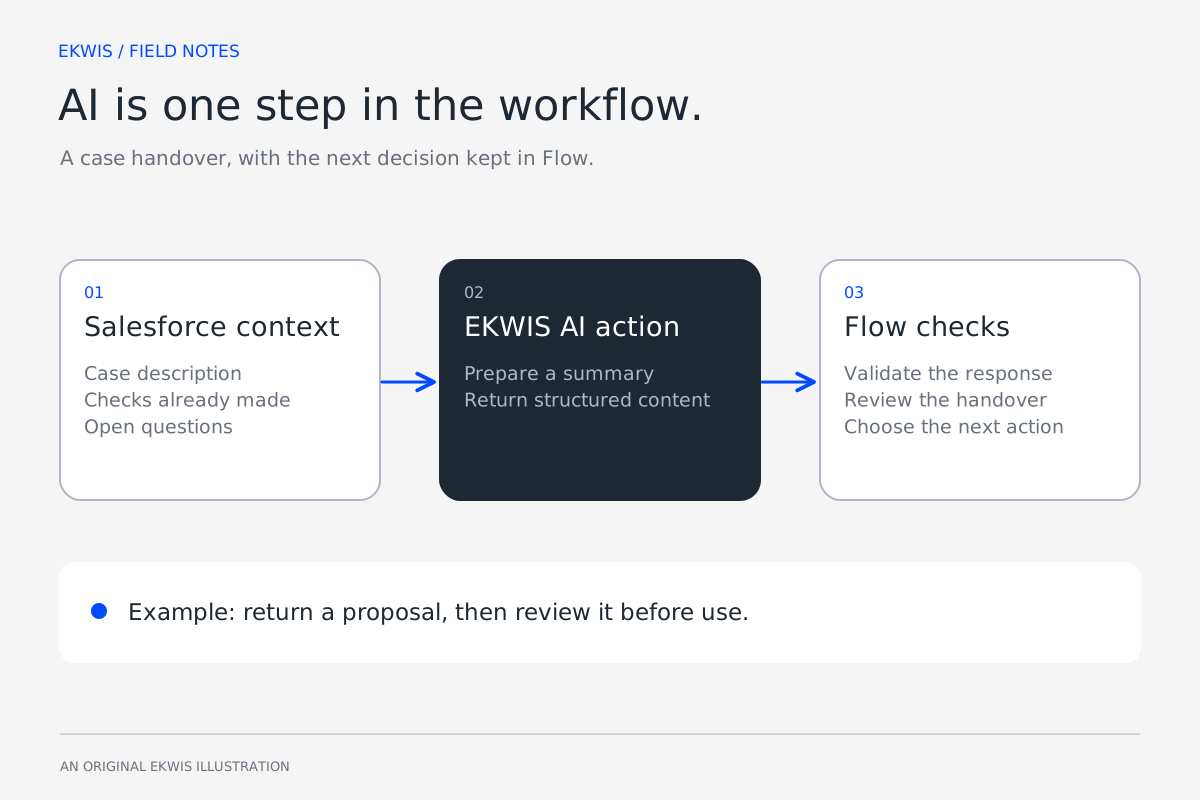
AI can help assemble the issue context, trace related metadata, prepare an initial change and suggest tests. It can also review a diff for likely gaps. Developers remain responsible for the design, access, tests and release decision.
Return a clear outcome to the original support case or project record: what changed, where it was released, what was checked and what remains. That is more useful to the customer than exposing the noise from every build step.
Official references
- Salesforce deployment validation — Salesforce Developers
- GitHub Actions workflow syntax — GitHub Docs
- Secure use of GitHub Actions — GitHub Docs
- Deployments and environments — GitHub Docs