What this covers
- Separate baseline access from job and occasional-task permissions.
- Understand why muting one group cannot revoke another source of access.
- Use a pilot to test what users can and cannot do.
Permission sets make Salesforce access easier to assemble around a job. They do not automatically simplify what a user can do. A broad profile or another permission-set assignment can still grant access that the new design was meant to remove.
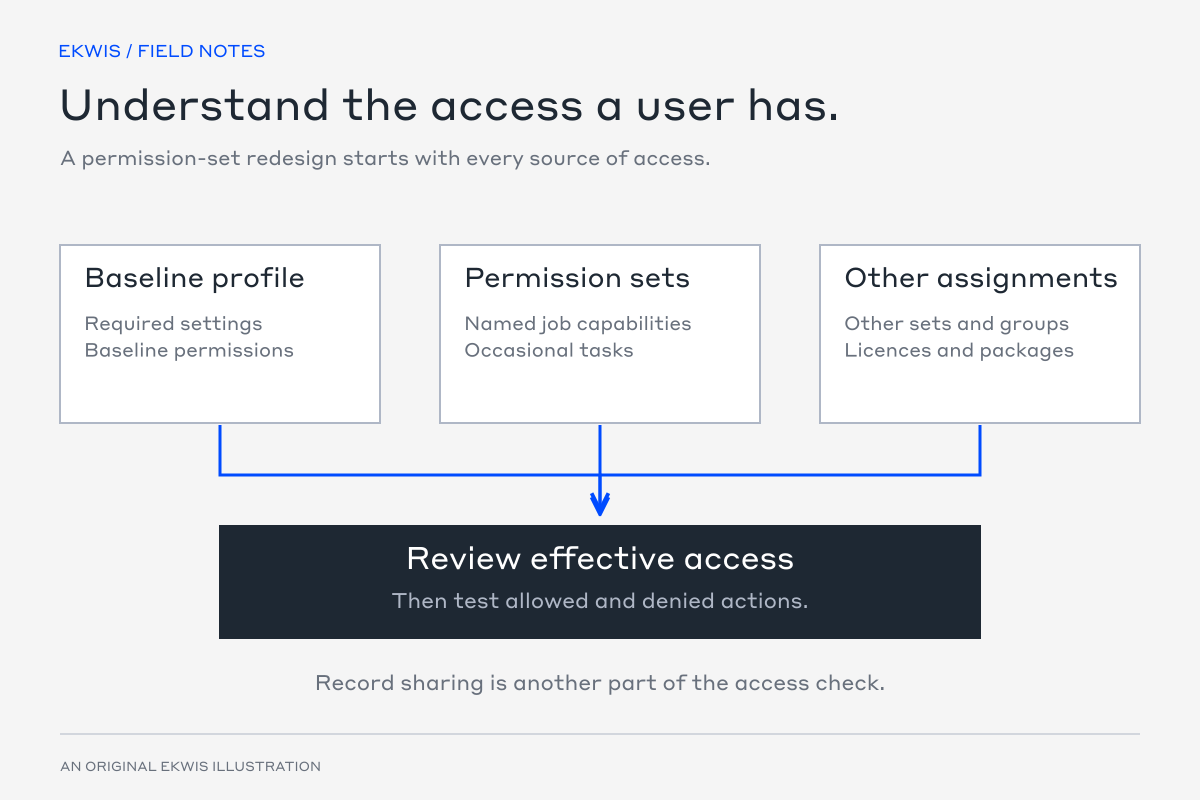
A useful redesign starts with effective access: the permissions a person receives from all relevant assignments, together with the record-sharing rules that apply.
Start with a role the business recognises
Take a sales operations role that maintains opportunities and helps with account handovers. The following catalogue is an illustration to discuss with the business, not a universal set of permissions to deploy.
| Layer | Purpose | Keep separate |
|---|---|---|
| Baseline profile | Required profile settings and minimum viable access | Powerful administration and unrelated job capabilities |
| Sales operations permission sets | Named capabilities for the opportunity and account work | Temporary elevated or exceptional access |
| Permission-set group | A maintained bundle for the common role | Unrelated capabilities added for a single exception |
| Occasional-task assignment | A separately approved additional task | Permanent broad access granted for a short-term need |
Inventory assignments before redesigning them
List users, profiles, permission sets and groups, including integration identities and inactive users. Record the business owner of each current capability. The assignment query below is a starting point; it does not calculate every permission or record-sharing effect.
SELECT AssigneeId, Assignee.Username, PermissionSetId,
       PermissionSet.Name, PermissionSetGroupId
FROM PermissionSetAssignment
ORDER BY Assignee.Username
Inspect object and field permissions, system permissions, class and page access, custom permissions and the other settings your org relies on. Record types, ownership, roles, sharing and teams also affect what the user can do. A permission-set inventory alone cannot prove record access.
Understand what muting changes
A muting permission set changes the permissions supplied by its associated group. It does not revoke the same permission if a profile, another permission set or a different group supplies it.
| Assignment | Delete permission supplied? | Result to investigate |
|---|---|---|
| Sales group with Delete muted | No, from this group | This removes one source of the permission. |
| A separate permission set grants Delete | Yes, from that set | The user may still have Delete despite the muted group. |
| A broad profile grants Delete | Yes, from the profile | The profile must be included in the redesign. |
This is why replacing a profile name with a neater group name is not enough. Identify every grant that matters, and check permission dependencies and licence requirements before changing it.
Prove a pilot user’s everyday work
Choose a small, representative user group. Record its existing behaviour, build the proposed model in a suitable test environment and check real tasks with the intended user permissions.
| User task | Expected result |
|---|---|
| Edit an in-scope opportunity | Allowed, including the fields and automation the role needs. |
| Complete an account handover | The correct record, screen and related information are available. |
| Delete a record where the role should not have that capability | Denied through the relevant user route. |
| Open a record outside the role’s agreed visibility | Denied by the intended record-access model. |
| Use a separately licensed feature | Available only to a correctly licensed and authorised user. |
A successful edit checks required access. It does not prove that powerful actions or visibility elsewhere have been removed. Keep the denied-action tests beside the positive ones, and investigate failures before extending the pilot.
Operate the new model
- Give each permission set or group a clear capability name and owner.
- Move the pilot only after its acceptance tests pass and a recovery route is agreed.
- Remove the superseded grants so the old and new access models do not accumulate.
- Route new access requests through the same capability catalogue.
- Review powerful permissions, integration identities and exceptions at an agreed cadence.
- Recheck representative users after relevant platform, licence and package changes.
The aim is for a business owner to explain why a user has access and for the technical team to change it without guessing which historical profile or exception supplied it.
Official references
- Manage Salesforce data access — Salesforce Trailhead
- Permission sets overview — Salesforce Help
- Muting permission sets — Salesforce Help